
ICE
CS
ICE

Dozens of Claude Code sessions. One window.

ICE is a native macOS app. A control session hands out work, projects and tickets run in their own terminals, and you see who is working, who is waiting for an answer and what runs in the background.

macOS 26 or later · Swift and SwiftUI

Native question sheet with a queue from all sessionsNative question sheet with a queue from all sessions

Hierarchy

Control → project → ticket

Work is shaped like a tree. The control session opens projects, projects open ticket sessions, and every session shows its subagents and background processes.

The control session never blocks
It splits up tasks and takes reports. Nothing long runs in the foreground.
Projects coordinate tickets
One session per project. After ten idle minutes it closes itself.
Reports go to the parent
Tickets report to their project, projects to the control session. Only real decisions reach you.

Window

Three columns, like Xcode

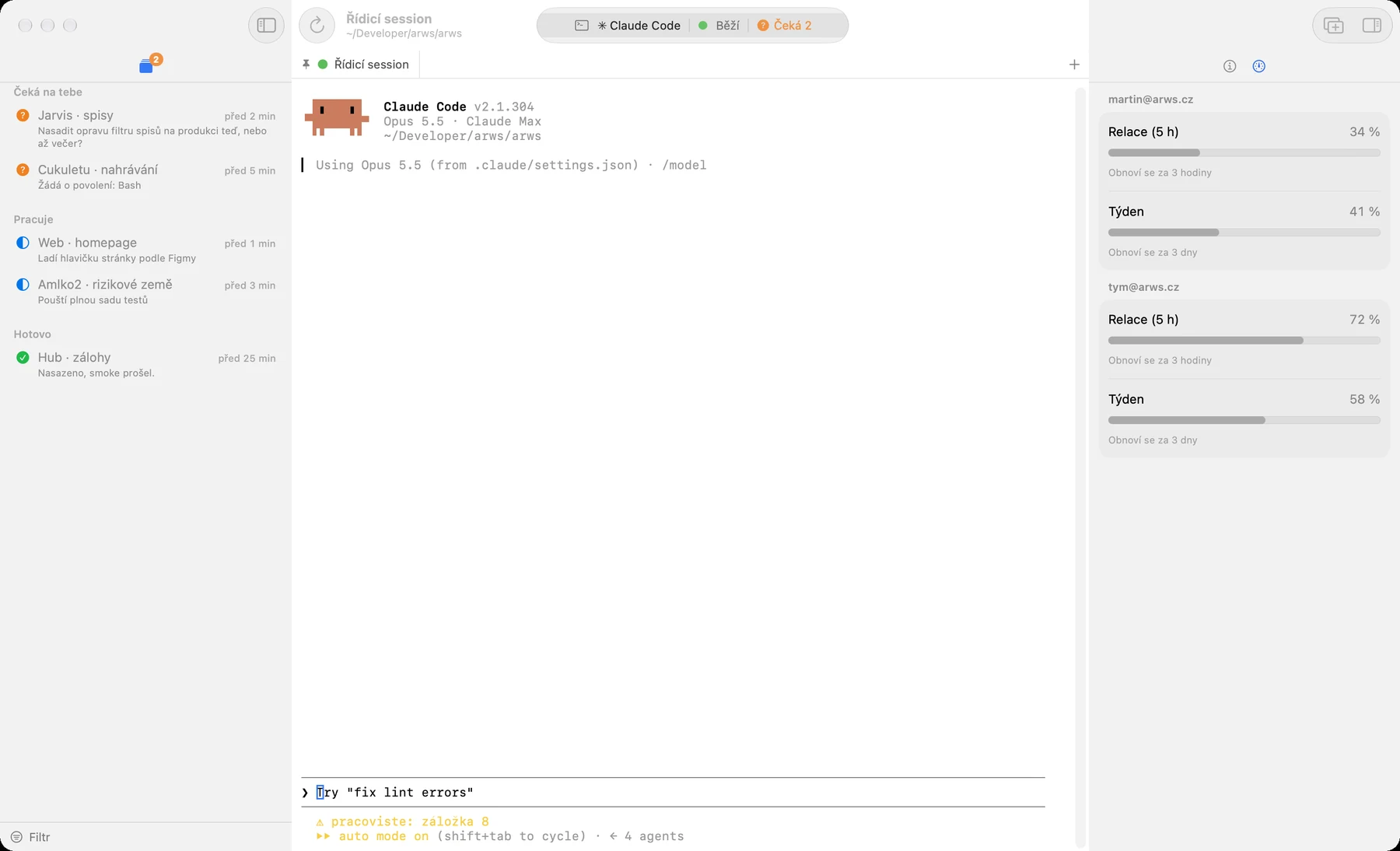
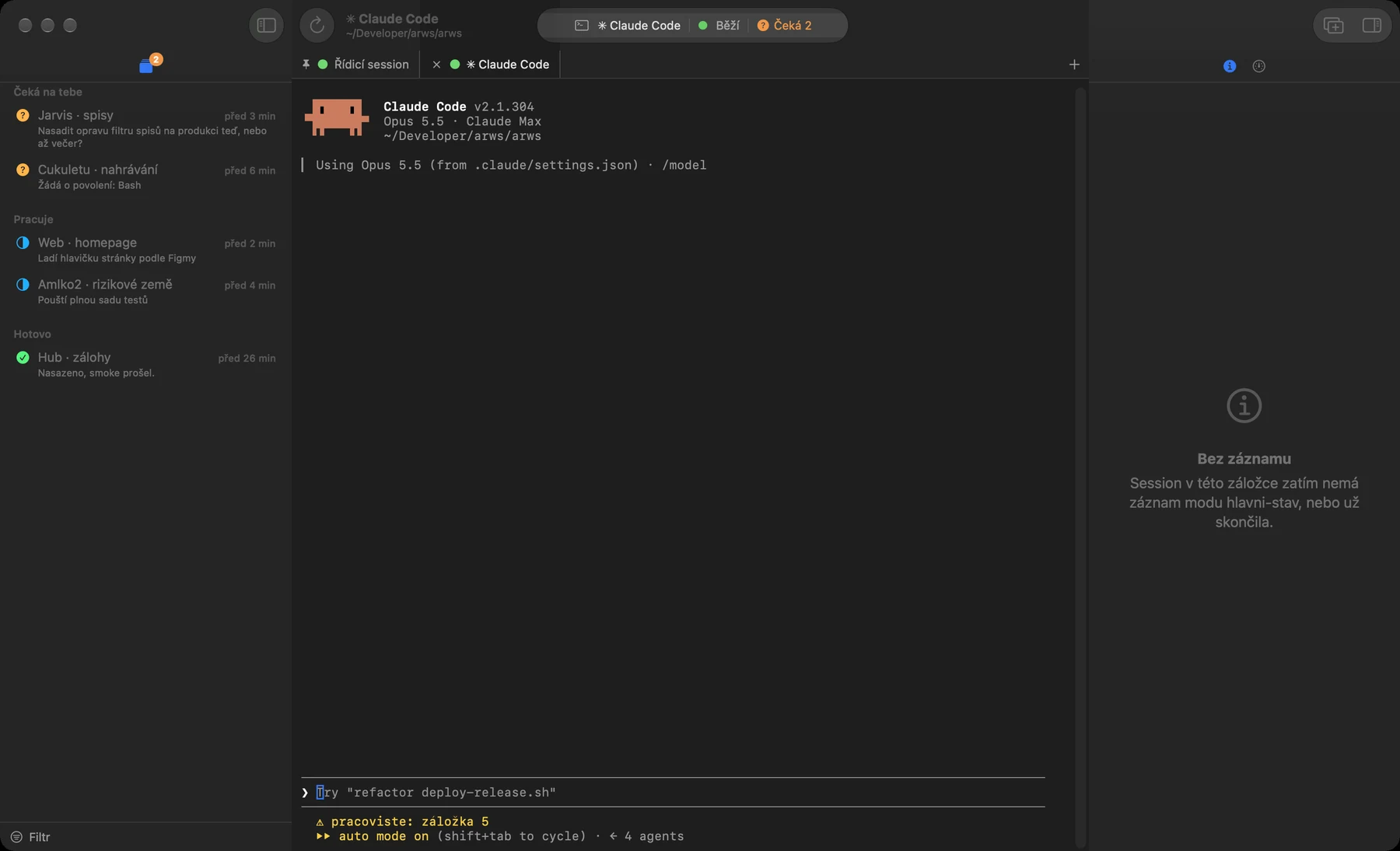
Navigator on the left, terminals in the middle, inspector on the right. System colors, Liquid Glass, light and dark mode.

Navigator

⌘1
  • Session tree

    Each session with an icon, one line on what it is doing, and its state. Expand it to see subagents and processes with run times.

  • Questions⌘2

    Open questions and permission requests from every session in one list.

  • Open Quickly⇧⌘O

    Search all sessions by name, folder or what they are doing.
Editor

⌘T
  • A terminal per session

    Its own process and tab. After a restart ICE brings the tabs back and sessions resume their conversations.

  • Control session as a console⇧⌘Y

    The control session lives below the working tab, like the debug area in Xcode.

  • Native questions

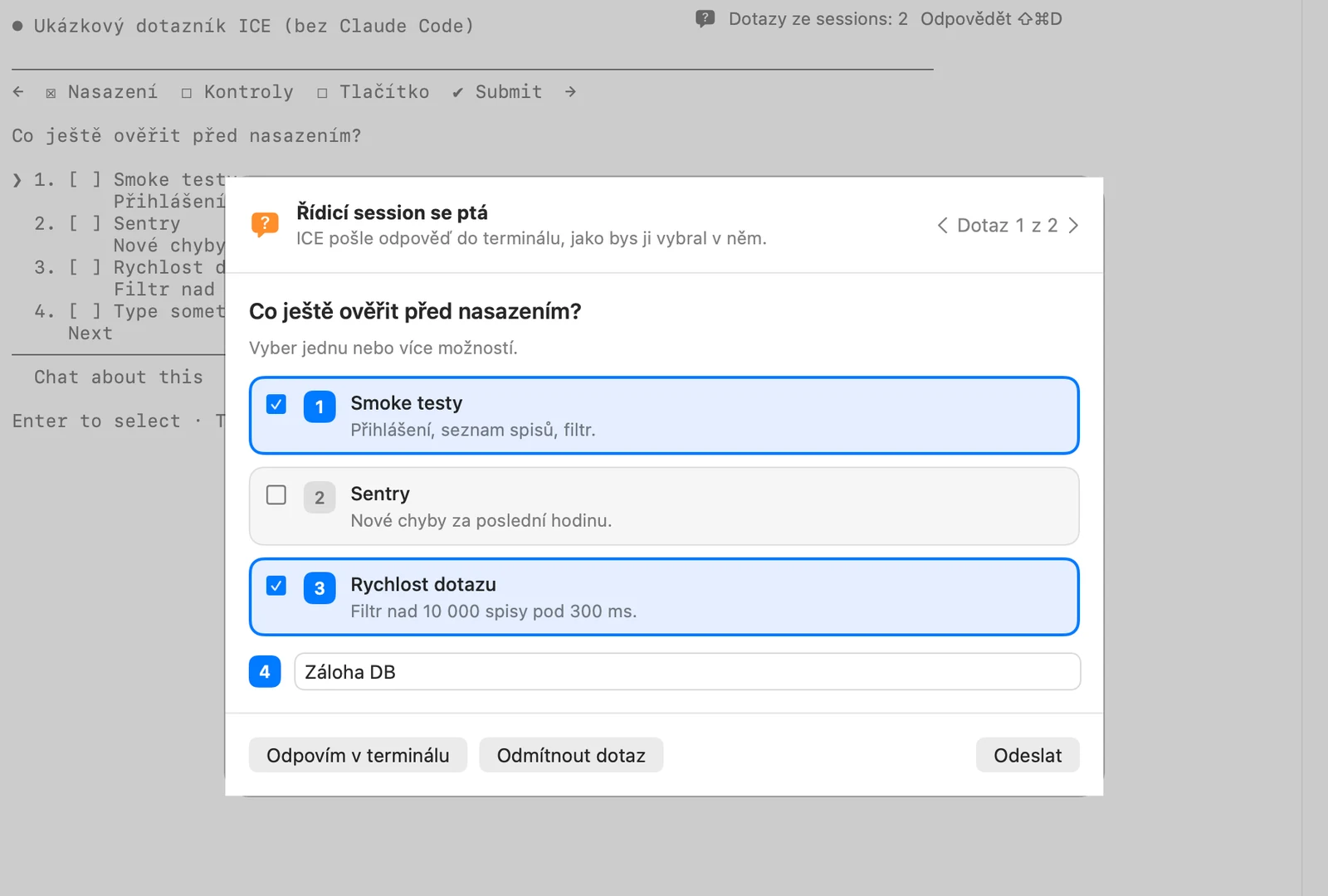
    When Claude asks, ICE opens a sheet with option cards. Keys 1–9 pick, ⏎ submits.

Inspector

⌥⌘0
  • Detail and attachments⌥⌘1

    Work phase, model, account and images pasted into the prompt.

  • Account and limits⌥⌘2

    Session and weekly limits per account, context usage.

  • Media⌥⌘3

    Images, files and artifacts the session produced.

  • Processes⌥⌘4

    Tests, builds and dev servers of the session with CPU and memory.

  • Workspace⌥⌘5

    Tasks, deferred decisions and a stash of prompts.

  • Permissions⌥⌘6

    Blocked actions and one-click rules to allow them.

Questions without arrow keys

Claude's questions get a native sheet. Options are cards with descriptions and previews, the recommended one is marked. From the control session you answer every session's questions in one queue.

  • Keys 1–9, ⏎ continues, Esc defers
  • Several questions as tabs, an “Other” field
  • Answers reach the session as keystrokes
Native question sheet with a queue from all sessions

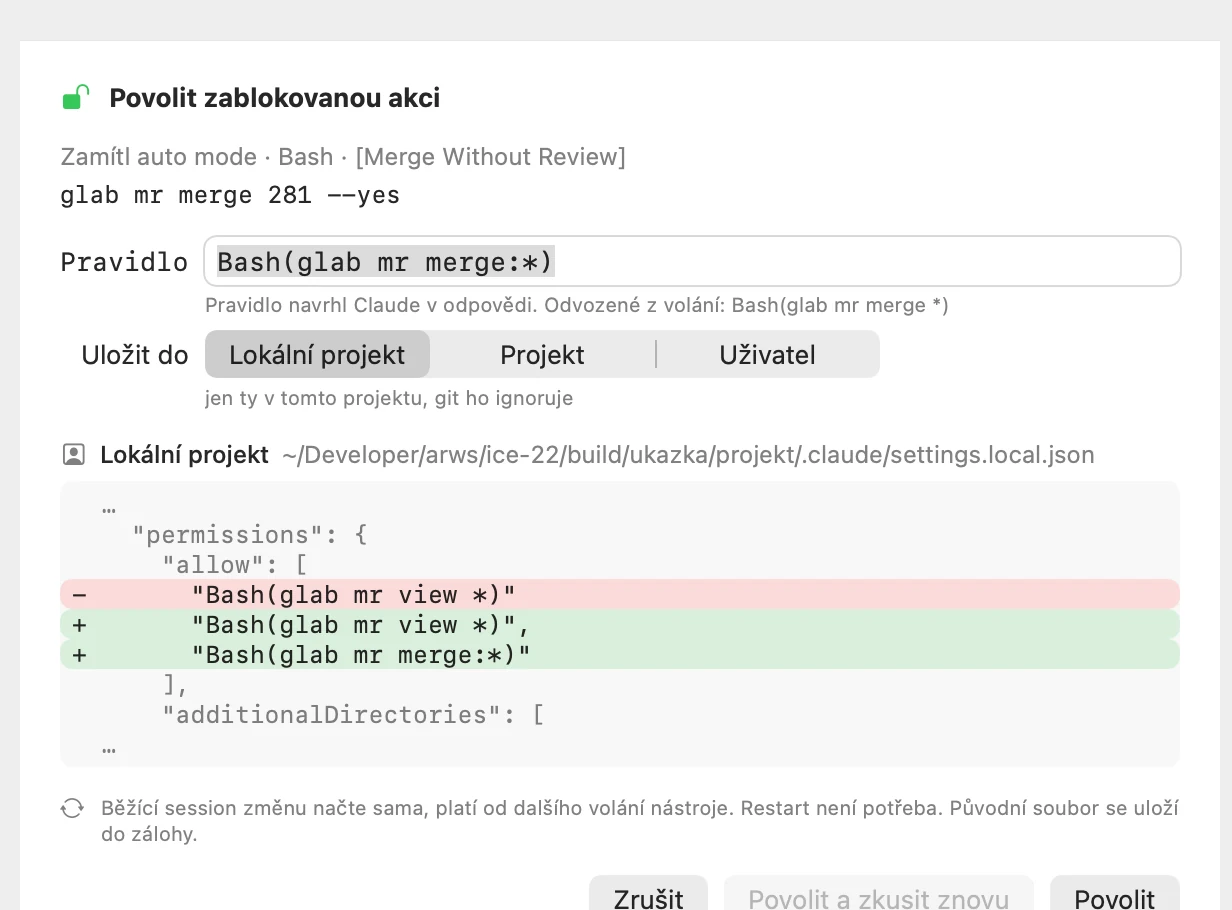
One-click permissions

When auto mode or a deny rule blocks an action, ICE shows it in the inspector and suggests the narrowest rule. You see the diff of the settings file, pick where it goes and confirm.

  • Rule suggested from the tool call
  • Change preview and a backup before every write
  • “Allow and retry” tells the session
Blocked action, suggested rule and the settings diff

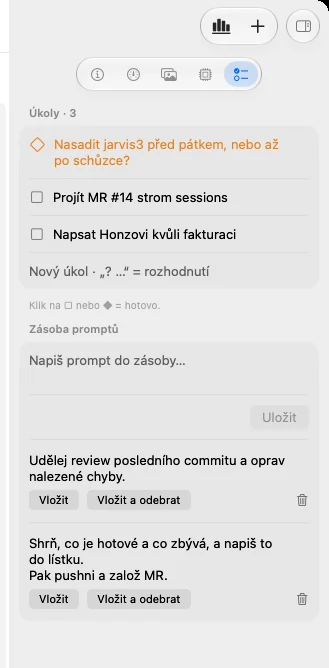
The Workspace tab

Tasks, deferred decisions and a prompt stash next to the terminal. Paste a stashed prompt into the open session with one button.

  • “? text” adds a decision
  • Same files as the iTerm panel
  • Paste, or paste and remove from the stash
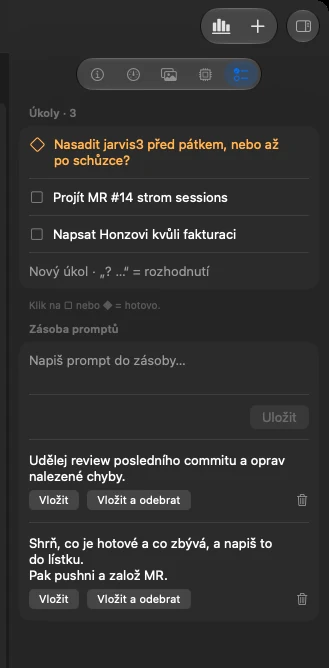
Workspace inspector with tasks and the prompt stashWorkspace inspector with tasks and the prompt stash

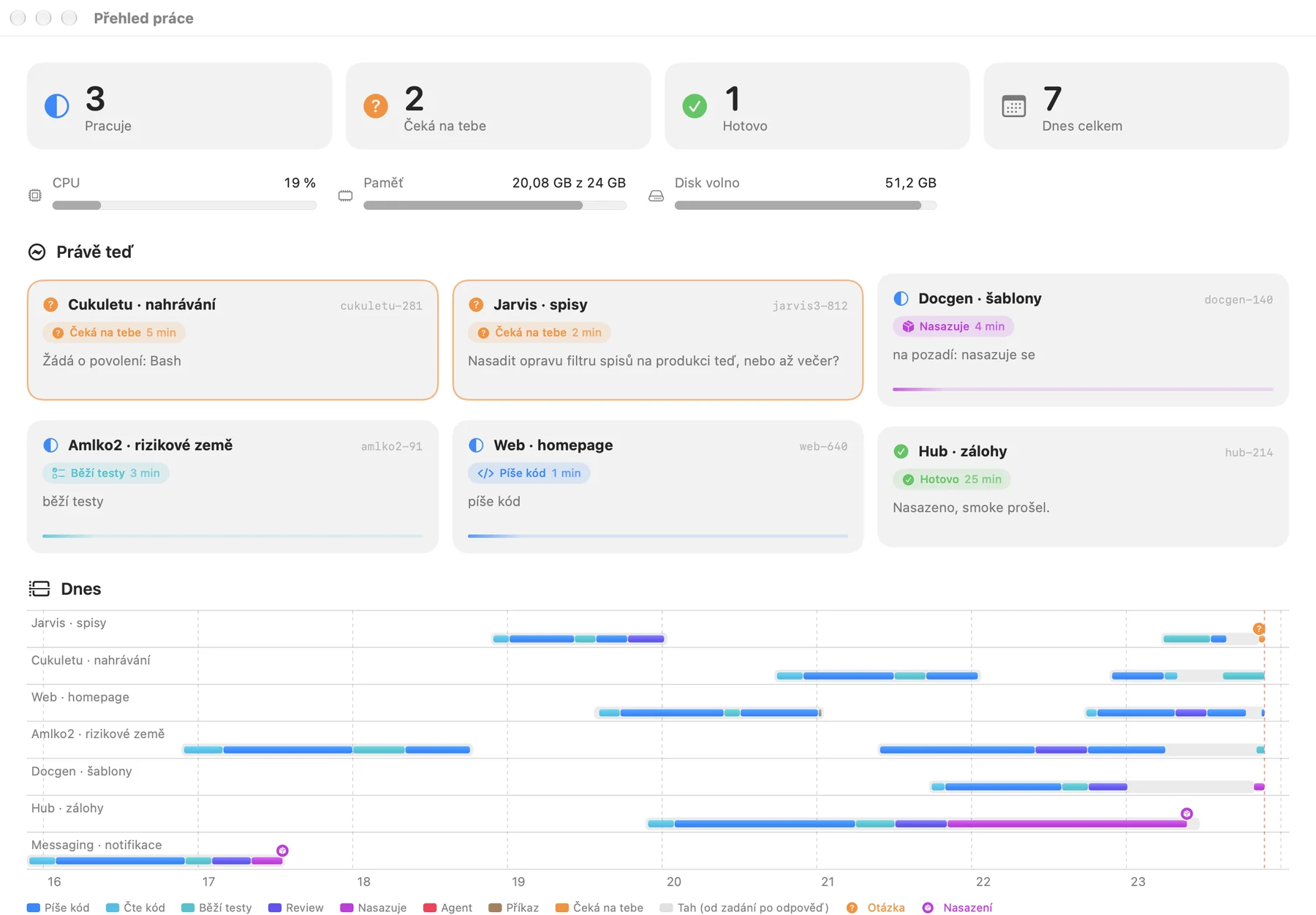
Work overview on a second display

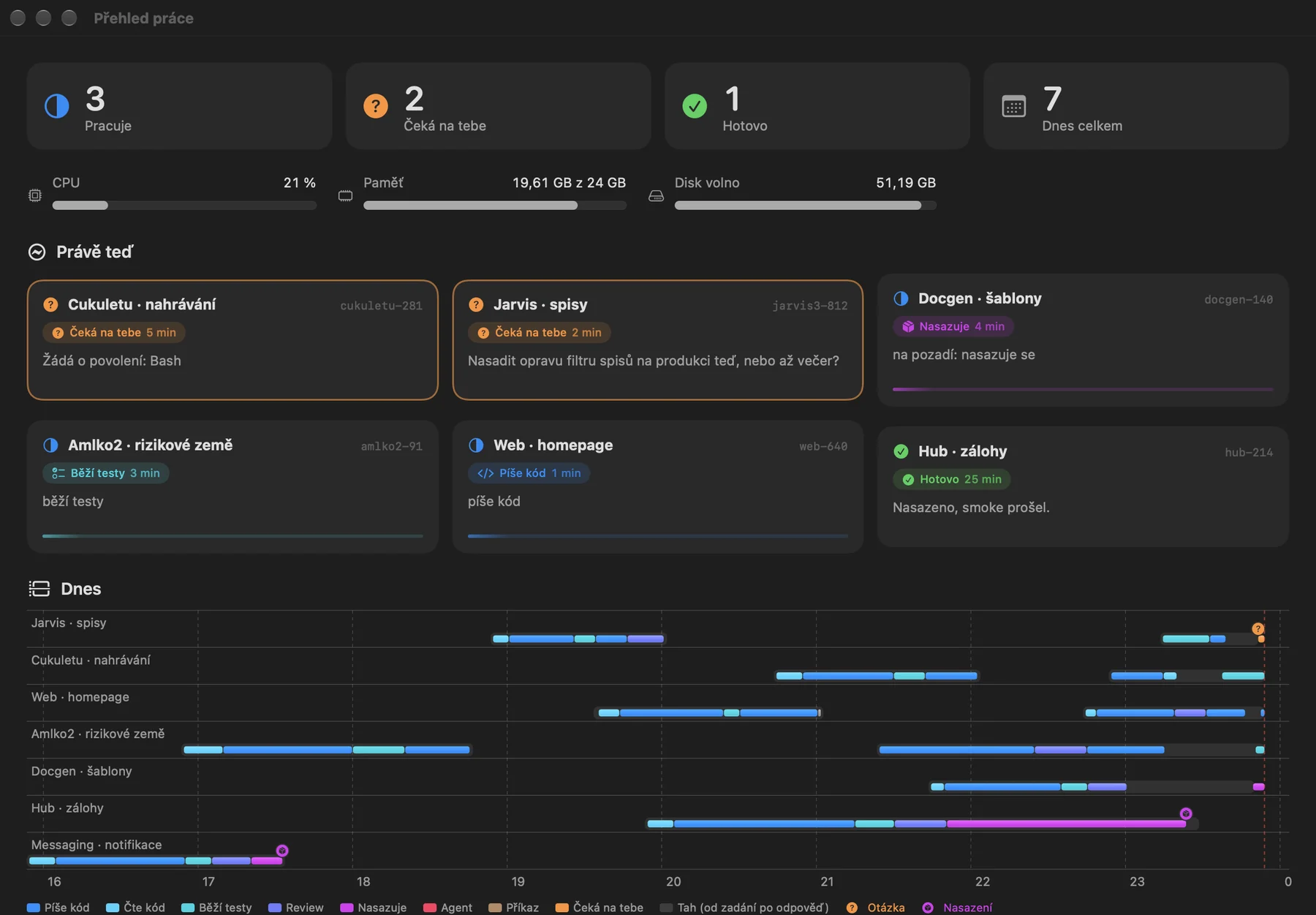
How many sessions are working, how many wait for you and what they are doing. The day timeline shows every session from prompt to answer, with questions and deploys.

  • Phases: writing code, running tests, review, deploying
  • Machine load
  • Click a card to open its tab
Work overview window with session cards and the day timelineWork overview window with session cards and the day timeline
⌘K

Planned

A command palette: switch sessions, send a message, allow an action or open a ticket without touching the mouse.

Get started

Build ICE from source

ICE is not distributed as a ready-made app yet. With access to the repository you can build it in Xcode in a few minutes.

  1. Get the tools

    macOS 26, Xcode 27.1 or later and XcodeGen.

    brew install xcodegen
  2. Build the app

    The script generates the Xcode project and builds Debug.

    scripts/build.sh
  3. Launch ICE

    On first launch a short guide to the window appears. Later it is under ⌘?.

    open build/Build/Products/Debug/ICE.app

The repository is private for now; the punkhive team grants access.